


Introduction
Online shopping has revolutionized the way we buy products. From the comfort of your home, you can browse thousands of items, compare prices, and have everything delivered to your doorstep. However, with this convenience comes certain risks that every shopper must understand.
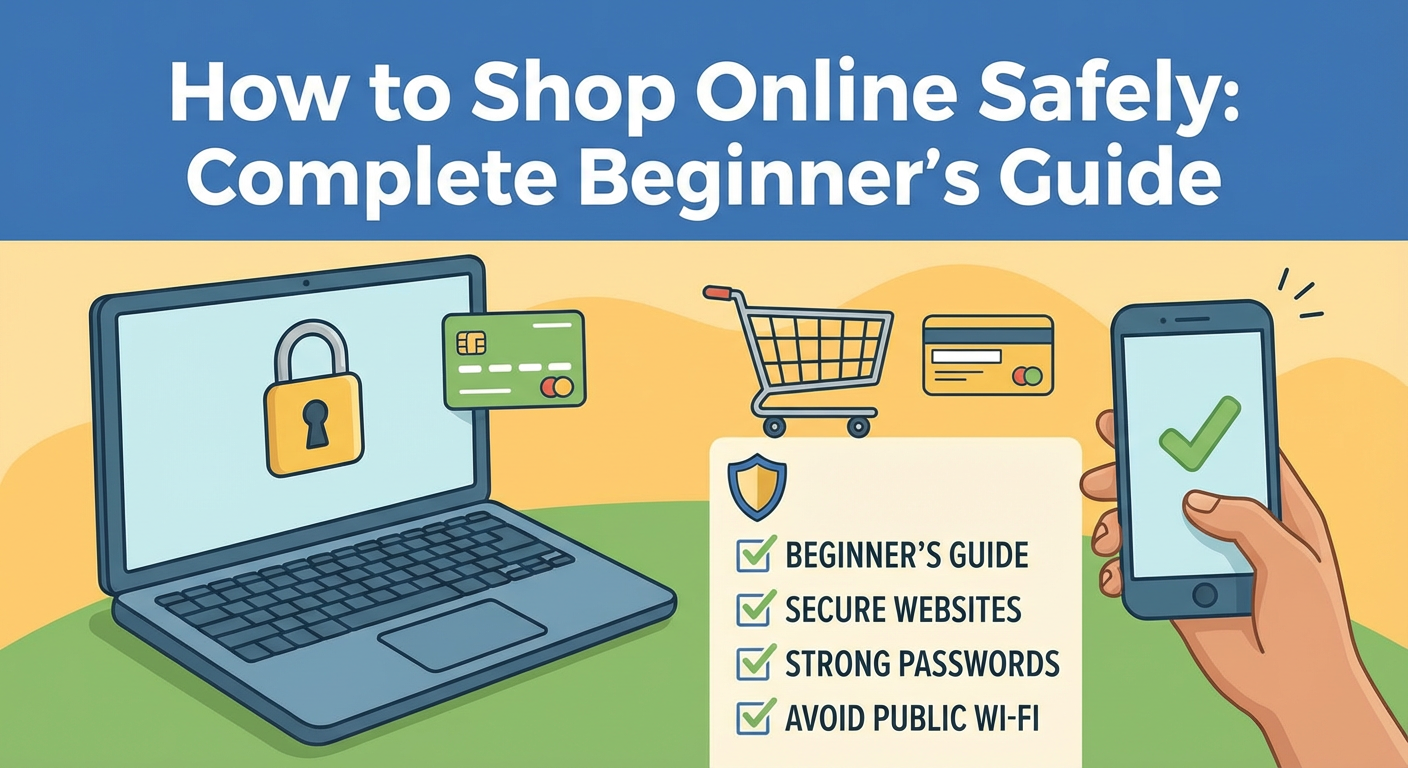
Whether you’re new to online shopping or want to enhance your security practices, this comprehensive guide will teach you how to shop online safely while protecting your personal and financial information.
According to recent statistics, online fraud cases have increased by 70% in the past three years, making it more important than ever to shop smart and stay protected.
Why Online Shopping Safety Matters
Before diving into the tips, let’s understand why online shopping safety should be your top priority:
The Real Risks of Unsafe Online Shopping
- Identity theft – Criminals can steal your personal information
- Financial fraud – Unauthorized transactions on your accounts
- Fake products – Receiving counterfeit or low-quality items
- Phishing scams – Fake websites designed to steal your data
- Data breaches – Your information sold on the dark web
Important: In 2023 alone, consumers lost over $10 billion to online shopping scams worldwide.
10 Essential Tips to Shop Online Safely
1. Shop Only on Secure Websites
The first rule of safe online shopping is verifying website security.
How to check if a website is secure:
| Security Feature | What to Look For |
|---|---|
| HTTPS | URL starts with “https://” not “http://” |
| Padlock Icon | Lock symbol in the address bar |
| Trust Seals | Verified badges (Norton, McAfee, BBB) |
| Contact Information | Legitimate phone number and address |
| Privacy Policy | Clear data protection policies |
Pro Tip: Click on the padlock icon to view the website’s security certificate details.
2. Use Strong and Unique Passwords
Your password is your first line of defense against hackers.
Password Best Practices:
✅ Use at least 12 characters
✅ Combine uppercase, lowercase, numbers, and symbols
✅ Never reuse passwords across multiple sites
✅ Use a password manager (LastPass, 1Password, Bitwarden)
✅ Enable two-factor authentication (2FA) when available
Example of a Strong Password:
text
Weak: shopping123
Strong: Sh0p$Secure#2024!Xyz
3. Avoid Public Wi-Fi for Shopping
Public Wi-Fi networks are hunting grounds for hackers.
Risks of shopping on public Wi-Fi:
- Man-in-the-middle attacks
- Data interception
- Fake hotspot connections
- Session hijacking
Safe Alternatives:
- Use your mobile data connection
- Wait until you’re on a secure home network
- Use a VPN (Virtual Private Network) for encryption
- Enable your phone’s personal hotspot
4. Use Secure Payment Methods
How you pay matters significantly for your protection.
Payment Method Safety Ranking:
| Payment Method | Safety Level | Buyer Protection |
|---|---|---|
| Credit Card | ⭐⭐⭐⭐⭐ | Excellent |
| PayPal/Digital Wallets | ⭐⭐⭐⭐⭐ | Excellent |
| Debit Card | ⭐⭐⭐ | Moderate |
| Bank Transfer | ⭐⭐ | Limited |
| Cash on Delivery | ⭐⭐⭐⭐ | Good |
| Cryptocurrency | ⭐⭐ | None |
Why Credit Cards Are Safest:
- Fraud protection policies
- Chargeback options
- No direct access to your bank account
- Purchase protection insurance
5. Verify the Seller’s Reputation
Before making any purchase, research the seller thoroughly.
How to Verify Sellers:
- ✅ Read customer reviews (check multiple sources)
- ✅ Look for seller ratings and feedback scores
- ✅ Search for the company on Google + “scam” or “review”
- ✅ Check the Better Business Bureau (BBB) rating
- ✅ Verify social media presence and activity
- ✅ Look for a physical business address
Red Flags to Watch For:
🚩 No customer reviews or only 5-star reviews
🚩 Prices too good to be true
🚩 Poor website design with spelling errors
🚩 No return policy or contact information
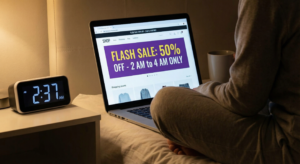
🚩 Pressure tactics (“Only 1 left!” “Sale ends in 5 minutes!”)
6. Keep Your Devices and Software Updated
Outdated software is vulnerable to attacks.
Essential Updates:
- Operating System – Windows, macOS, iOS, Android
- Web Browser – Chrome, Firefox, Safari, Edge
- Antivirus Software – Run regular scans
- Shopping Apps – Keep all apps updated
- Firewall – Ensure it’s always enabled
7. Monitor Your Bank Statements Regularly
Early detection prevents major losses.
Monitoring Best Practices:
- Check statements weekly, not monthly
- Set up transaction alerts on your phone
- Review small charges (thieves often test with small amounts)
- Report suspicious activity immediately
- Keep records of all online purchases
8. Be Careful with Email Links
Phishing emails are increasingly sophisticated.
How to Spot Phishing Emails:
| Legitimate Email | Phishing Email |
|---|---|
| From official domain | Misspelled domain |
| Personalized greeting | Generic “Dear Customer” |
| Professional formatting | Poor grammar/spelling |
| Links match displayed text | Suspicious link destinations |
| No urgent threats | Creates panic/urgency |
Golden Rule: Never click email links directly. Instead, type the website address manually in your browser.
9. Create a Separate Email for Shopping
Protect your primary email from spam and potential breaches.
Benefits:
- Isolates shopping communications
- Easier to spot phishing attempts
- Protects your main email from data breaches
- Better organization of order confirmations
- Reduces spam in your primary inbox
10. Document Everything
Keep records for your protection.
What to Save:
- 📧 Order confirmation emails
- 📸 Screenshots of product pages
- 🧾 Digital receipts
- 💬 Customer service conversations
- 📅 Delivery confirmation details
- 💳 Payment transaction records
How to Identify Safe vs. Unsafe Websites
Signs of a Trustworthy Website:
✅ Professional design and functionality
✅ Clear contact information (phone, email, address)
✅ Detailed return and refund policies
✅ Multiple secure payment options
✅ Customer service availability
✅ Active social media presence
✅ SSL certificate (HTTPS)
✅ Real customer reviews
Warning Signs of Scam Websites:
❌ Unrealistic discounts (90% off everything)
❌ Poor grammar and spelling errors
❌ No physical address or phone number
❌ Only accepts wire transfers or gift cards
❌ Recently created domain
❌ Copied content from other websites
❌ No social media presence
❌ Fake trust badges
Safe Online Shopping Checklist
Before completing any online purchase, go through this checklist:
text
□ Website URL starts with HTTPS
□ Padlock icon visible in address bar
□ Seller has positive reviews
□ Return policy is clearly stated
□ Contact information is available
□ Price seems reasonable (not too good to be true)
□ Using secure payment method
□ Connected to secure network
□ Device software is updated
□ Saved order confirmation
What to Do If You’ve Been Scammed
If you suspect you’ve been a victim of online shopping fraud:
Immediate Steps:
- Contact Your Bank/Credit Card Company
- Report the fraudulent transaction
- Request a chargeback
- Cancel or freeze your card
- Report to Authorities
- File a complaint with local consumer protection
- Report to the Federal Trade Commission (FTC)
- File a report with the Internet Crime Complaint Center (IC3)
- Document Everything
- Save all communications
- Screenshot the website
- Keep records of payments made
- Change Your Passwords
- Update passwords for all accounts
- Enable two-factor authentication
- Check for unauthorized access
- Monitor Your Credit
- Check your credit report
- Set up fraud alerts
- Consider credit monitoring services
Country-Specific Online Shopping Safety Tips
For Shoppers in the United States:
- Use the FTC’s Consumer Protection resources
- Check BBB ratings before purchasing
- Understand your rights under the Fair Credit Billing Act
For Shoppers in the United Kingdom:
- Verify sellers on Trading Standards
- Know your rights under Consumer Rights Act 2015
- Use Action Fraud to report scams
For Shoppers in India:
- Prefer COD for first purchases from new sellers
- Use UPI with transaction limits
- Report fraud to the Cyber Crime Portal
For Shoppers in Canada:
- Use the Canadian Anti-Fraud Centre
- Check sellers on the Competition Bureau website
- Understand provincial consumer protection laws
For Shoppers in Australia:
- Use ScamWatch to report fraud
- Check businesses on the ACCC website
- Know your rights under Australian Consumer Law
Frequently Asked Questions (FAQ)
Is it safe to save my credit card information on websites?
Only save payment information on websites you trust completely and shop from regularly. Enable additional security like 2FA. Consider using virtual credit card numbers for extra protection.
How can I tell if a website is fake?
Check for HTTPS, verify the domain spelling, look for contact information, read reviews on third-party sites, and use tools like Whois to check domain age.
What should I do if I receive a suspicious email about my order?
Never click links in suspicious emails. Instead, go directly to the retailer’s website by typing the address manually and check your order status there.
Is Cash on Delivery safer than online payment?
COD reduces financial risk since you pay upon receiving the product. However, it doesn’t protect you from receiving wrong or damaged items. Always inspect products before accepting delivery.
How often should I change my shopping passwords?
Change passwords every 3-6 months, and immediately if you suspect any security breach. Always use unique passwords for each shopping site.
Conclusion
Shopping online safely is not complicated when you follow the right practices. By implementing the tips in this guide, you can enjoy the convenience of online shopping while protecting yourself from scams and fraud.
Remember these key takeaways:
- Always verify website security before purchasing
- Use secure payment methods with buyer protection
- Research sellers and read authentic reviews
- Keep your devices and software updated
- Trust your instincts – if something seems wrong, it probably is
Start implementing these safety measures today and shop with confidence!